How to send a video that's too large to email
Gmail, Yahoo and Outlook.com stop at 25 MB, iCloud Mail at 20 MB. How to make a video small enough to attach, or send it as a link, service by service.
On this page
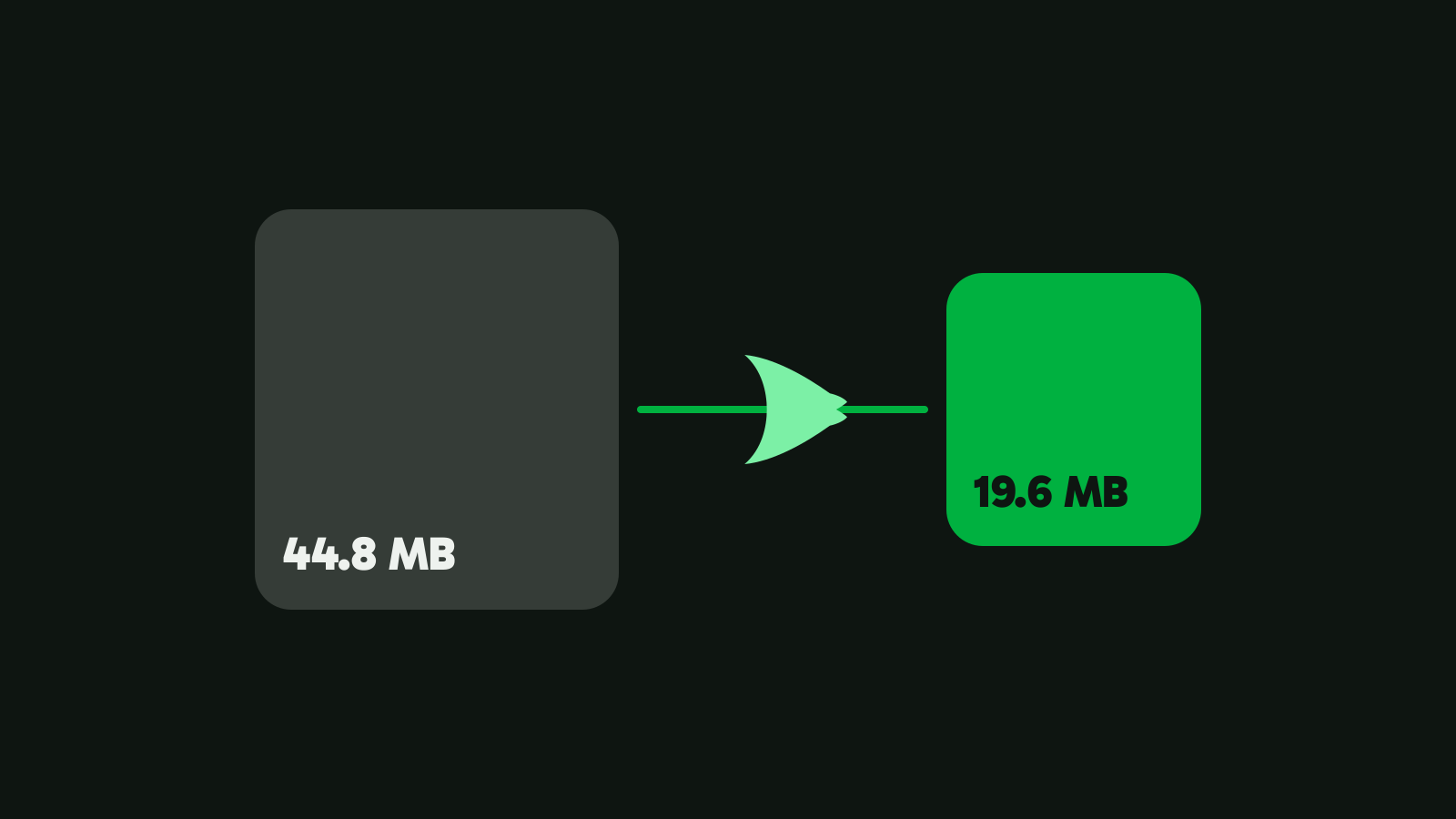
A video is too large to email when it’s over the service’s attachment limit: 25 MB for Gmail, Yahoo Mail and Outlook.com, 20 MB for iCloud Mail. Phone video passes that fast. Our 21-second 4K test clip is 44.8 MB, almost twice Gmail’s limit. You can shrink it to fit or send a link.
Email size limits, by service
Checked on 5 Nov 2026 on each service’s own help pages.
| Service | Limit | What it counts | Over the limit |
|---|---|---|---|
| Gmail, personal account | 25 MB | All attachments in the message | Gmail turns them into a Google Drive link |
| Gmail, work or school account | Set by the admin | Set by the admin | Set by the admin |
| Outlook.com on the web | 25 MB | Attachments | Share from OneDrive, up to 2 GB |
| Outlook app with an Outlook.com or Gmail account | 20 MB | The attachment and the email together | Share a cloud link |
| Outlook with a work Exchange account | 10 MB by default | The whole email | Share a cloud link |
| Yahoo Mail | 25 MB | All attachments together, sent or received | Not stated |
| iCloud Mail | 20 MB | The whole message | Mail Drop, up to 5 GB |
| Proton Mail | 25 MB to send, 50 MB to receive | All attachments together | Not stated |
Sources: Gmail, Outlook.com, the Outlook app, Yahoo Mail, iCloud Mail, Mail Drop, Proton Mail.
Two lines on those pages matter more than the numbers. Microsoft says the Outlook app’s 20 MB “includes both the size of the attachment and the size of the email”. Proton warns that “the encoding process will cause attached files to become a bit larger than they are on your computer”. A file right at the limit can still bounce, so aim below it.
Why is the video too large to email?
Phones record at a high bitrate so they never miss detail while you film. Our 4K test clip, straight from the camera, uses 16.9 Mbit/s: about 2 MB for every second of video. At that rate, Gmail’s 25 MB holds roughly twelve seconds.
Length matters, but the bitrate matters more. The same minute of video can be 15 MB or 150 MB depending on how many bits each second gets. That’s why compressing works: most of those bits can go, and the video still looks good on the screen it will be watched on (how to compress a video without losing quality explains why).
Make the video small enough to attach
Vidray’s “Fit a size” takes the limit as its input and works out the rest:
- Open Vidray and choose Compress.
- Pick “Fit a size” and the size for your service from the table below.
- Drop the video in. Attach the MP4 that Vidray saves next to the original.
| Your service’s limit | Pick in Fit a size |
|---|---|
| 25 MB: Gmail, Yahoo Mail, Outlook.com, Proton Mail | 20 MB |
| 20 MB: iCloud Mail, the Outlook app | Custom, 18 MB |
| 10 MB: Outlook with a work Exchange account | Custom, 9 MB |
The gap leaves room for the text of the email and the encoding Proton mentions. None of the services publish an exact figure, so we round down generously. Under means under: 10 MB is at most 10,000,000 bytes. If a file comes out over, Vidray tries again lower, and tells you if it can’t fit.
On our 4K test clip, a 20 MB goal gave a 19.6 MB file at 1080×1920 with a VMAF score of 94.1 out of 100, in 3.2 seconds. Measured on our test PC. Times vary with your hardware. The output is H.264 in an MP4, which phones and computers play without extra apps. Everything happens on your computer, and it works without an internet connection.
How long a video can you email?
With a 20 MB goal, Vidray starts at these frames for a 30 fps video with sound. The table is worked out from the app’s sizing rules, not measured clip by clip:
| Length | Frame at 20 MB |
|---|---|
| 30 seconds | 1080p |
| 1 minute | 720p |
| 3 minutes | 540p |
| 5 minutes | 360p |
Up to about a minute, a 20 MB attachment keeps 720p or better. Past three minutes the picture has to shrink a lot, and a link to the full video serves the viewer better. The full table for 10, 25, 50 and 100 MB is in how to compress a video to a specific size.
Send it as a link instead
A link keeps the original quality, and the video can be gigabytes. The person you send it to downloads it or watches it in the browser.
- Gmail: attach the video as usual. Google says that if your total attachment size is greater than the limit, “Gmail automatically removes the attachment and adds it as a Google Drive link in the email.”
- Outlook.com: share the file from OneDrive instead of attaching it. Microsoft’s limit for OneDrive files is 2 GB.
- iCloud Mail Drop: in Mail on a Mac, the Mail app on an iPhone or iPad, or iCloud.com/mail, attachments up to 5 GB go through Mail Drop, and they don’t count against your iCloud storage. The recipients have 30 days to download them.
- Any service: upload the video to a cloud drive (OneDrive, Google Drive, Dropbox, iCloud Drive) and paste the share link into the email.
A link has two catches: the recipient needs an internet connection to watch it, and a link can expire or be switched off later. An attachment stays in their inbox.
Which way fits you
- “One short clip, sent with Gmail or Outlook.” Vidray, Fit a size, 20 MB, and attach it.
- “I’m sending from an iPhone or a Mac.” Mail Drop: Apple’s Mail offers it when the message is too large, with no compression.
- “It’s long, or they need the original.” A cloud link, so nothing is lost.
- “Work email with a 10 MB limit.” Fit a size with Custom 9 MB, or your company’s file-sharing service.
- “A dozen clips from one trip.” Drop them all at once: Free makes 10 videos a month, and Pro makes as many as you like, with no monthly limit. $24.99, once (compare Free and Pro).
Why is my video still too large to email after compressing?
- The service counts the whole message. The Outlook app and iCloud Mail count the text and every attachment. Pick a size well below the limit.
- Several attachments add up. Gmail, Yahoo Mail and Proton Mail count all attachments together, so two 20 MB videos are 40 MB. Send them in separate emails, or compress each to fit the total.
- The recipient’s limit is smaller. Apple notes that the recipient’s email app might have a smaller limit than yours. A work address with a 10 MB limit rejects what Gmail accepts.
- The video was over before you compressed it. Check the size of the new file, not the original: Vidray saves it beside the original with “(Vidray)” in its name.
Try it with the next video you need to send: compress one clip to 20 MB and attach it. Free does all of this, 10 videos a month, with no watermark and no trial clock. Download Vidray for Windows or Mac.
Common questions
What is the maximum video size for Gmail?
25 MB for a personal Gmail account, for all attachments in one message together. Above that, Gmail removes the attachment and adds the file as a Google Drive link instead. Work and school accounts have limits set by their Google Workspace administrator.
How do I make a video smaller to send by email?
Compress it to a size under your email service’s limit. In Vidray, choose Compress, pick Fit a size and click 20 MB for Gmail, Yahoo Mail or Outlook.com, then drop the video in. The new MP4 lands under 20 MB, next to the original, ready to attach.
How do I email a large video from my iPhone?
Use Mail Drop in Apple’s Mail app. When a message is too large for your email provider, Mail offers to send the attachments through Mail Drop, which takes files up to 5 GB. The recipients get a download link and have 30 days to use it.
Does emailing a video reduce its quality?
No. An attachment arrives as exactly the same file you attached. Quality drops only when the video is compressed to fit under the limit, and how much depends on the size you pick and the video’s length. A cloud link keeps the original quality at any size.
Why does Outlook say my video is too large when it's under 20 MB?
Because the Outlook app’s 20 MB limit counts the whole email, not just the attachment, and attachments get a bit larger when they are encoded for sending. Compress the video to 18 MB or less with a Custom size, or share it from OneDrive instead.